Train a child up in the way he should go...

Proverbs 22:6


9.20.2012

Calling all Tech Educators!


I have found two social network sites for Technology Coordinators and Computer Teachers!  I urge all Tech  Educators to join!

Gingerbread House Design- K-1st Grade

This cute virtual gingerbread house is just waiting for the Kindergartners and First Graders to decorate it for the Christmas season!  Go to Jenny B. Harris Illustrator- Decorate a Gingerbread House for a sneak peak of this online activity.

Brain Pop Website- All Grades

BrainPop.com appears to be a good educational site, and it has a computer/technology specific section.

9.07.2012

Community Table- 3rd/4th Grade

The Third and Fourth Graders used a table on MS Word to organize key words pertaining to the three types of communities.  The picture below is an example of their work:

Trees Slideshow- 5th/6th Grade

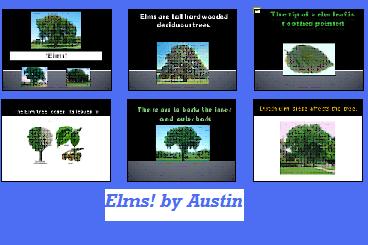
The Fifth and Sixth Graders are researching a specific type of tree variety (pines, firs, spruces, maples, willows, birches, hemlocks, elms, oaks, cypress, douglas firs, palm, redwood family, and unusual trees).  When they have all of their information, they will create a PowerPoint slideshow to represent the information that they find.  Go to the zsjstudents blog to find cool websites about trees.
Below is the student's research guide worksheet:


8.31.2012

Community Brochure- 3rd/4th Grade

The Third and Fourth Graders are learning about the different kinds of communities in Social Studies.  They will reinforce the concept by creating a brochure of a hypothetical community.  They will include information such as landmarks, types of housing, recreation, and transportation.

Here is a link to a good podcast that describes the three kinds of communities: Communities

Plant Diagrams- 5th/6th Grade

The Fifth and Sixth Graders are starting a new project to reinforce their knowledge of plants.  They will choose a plant system to diagram on Paint.  The choices include: plant pollination, plant reproduction, plant fertilization, photosynthesis, inside of a root, and the root/shoot system.

The zsjstudents blog has some informational videos for the students to reference.

8.30.2012

Bedroom Sign- 2nd Grade

The Second Graders are learning many new things about M.S. Word such as how to change the font style, size and color, how to insert clip art, and how to save and open a document.  For a fun activity, the kids are going to use these skills to create a bedroom sign.

False Identity Business Cards- 5th/6th Grade

To kick off the year with a 'welcome back' game, the kids randomly selected a career type and created a business card on Publisher for a hypothetical individual in the career.  When the business cards are completed, the students will print out the hard copy and use the cards in a game where they will draw out a card and introduce themselves as that hypothetical person.

Summer Fun Slide Show- 3rd-6th Grade


The kids are using PowerPoint to create slideshows that describe the best parts of their summer break.  They are welcomed to use pictures from home or from an image hosting site (facebook, photobucket, etc).  Our students did all sorts of fun activities such as going to the Des Moines Adventure Land, a Twins game, Minnesota and Wisconsin for camping, Water Wild West water park, and weddings to name a few.

3.06.2012

Skype with Iditarod Musher Newton Marshall- 3rd/4th Grade


We're so excited to be skyping with Newton Marshall, the musher from Jamaica on Friday, March 9th ! Newton's website is: http://www.jamaicadogsled.com/

1.26.2012

Southeastern States Slideshows- 3rd & 4th Grade

The Third and Fourth Graders created Powerpoint presentations on a Southeastern state.  The 3rd Graders worked in pairs (the three girls teamed up together) and the 4th Graders worked individually.  They will present their slideshows on Monday!  Here's their work:


1.24.2012

Windows Movie Maker Introduction- 2nd Grade

The Second Graders worked on WWM videos. The theme was their choice; I suggested choosing something that they are passionate about. Some of the key skills they learned and practiced were:
  • importing media (pictures and music)
  • filling in the storyboard
  • changing between timeline and storyboard view
  • adding and removing transitions and effects
  • changing the display time for each picture
  • adding and editing titles and credits
Here is some of the work!  Enjoy!


Google Sketch Up- 5th & 6th Grade

We downloaded Google Sketch Up 8.  The kids watched the following youtube video as a tutorial.

The kids followed along with the steps that are layed out in the tutorial to create their own building. Once the kids are comfortable with the Google Sketch Up features, they will create their house as they envision it will be in heaven.

1.12.2012

Colony Brochure- 5th & 6th Grade

The Fifth and Sixth Graders are researching one of the original 13 colonies and creating a promotional brochure on Publisher.  Below are some websites that they are using for their online research:
13 Colonies
Mr Nussbaum's website
Social Studies for Kids
History.com


12.08.2011

Layers of the Earth Diagram on Paint- 5th/6th Grade

The Fifth and Sixth Graders used Paint to create a diagram of the earth's layers. They were expected to include one fact for each layer and to save their diagram to the server. There are some super artistic students! Way to go kids!


11.22.2011

Birthdays of the month, tally marks n' Excel graphs- 2nd-4th Grade

As a mini-checkpoint assessment for Excel, the Second-Fourth Graders collected data using tally marks, converted the tally marks to numbers, layed out the data on an Excel spreadsheet and created a bar graph.  The data that we collected was a count of birthdays for each month of our classmates and family members.  I kept track of the count using tally marks on the white board as the students dug deep into their minds to remember when their classmates' and family members' birthdays were.  Once all of the data was collected, the students took turns converting the tally marks to numbers.  Then, with very little help from me, they were instructed create the spreadsheet and graph.  There were a handful of students who remembered all of the steps, and they proudly reminded the others who had forgotten.  It was a triumph for those who remembered and a good review for those who forgot!

11.17.2011

Thankful for- 2nd-4th Grade

The Second-Fourth Graders are working on a simple MS Word document to help them reflect on for what they are thankful.  The document begins with "I am thankful for:" and it continues with a list of things that the students feel blessed for having in their lives.  They reviewed how to insert bullets and how to "define a new bullet" using a picture or symbol.  They also reviewed how to insert clipart,  format clipart text-wrapping, and change the font.

11.15.2011

Sympathy Word Clouds- 3rd &4th Grade

The Third and Fourth Graders created sympathy word clouds using tagxedo.com for their teacher, Mrs. Paulsen. Mrs. Paulsen's father passed away on Friday. With the help of Pastor Wagner, the students listed words, phrases and Biblical verses that pertain to going home to heaven, and then they used the words to create the word clouds. The kids saved their work on the server, I printed the word clouds using a color printer, and we worked together to create a collage of the word clouds on a poster. Here is some of their work!